Getting Started with BinaPay: Simplify Your Bill Payments, Data Purchases, and More
Getting Started with BinaPay
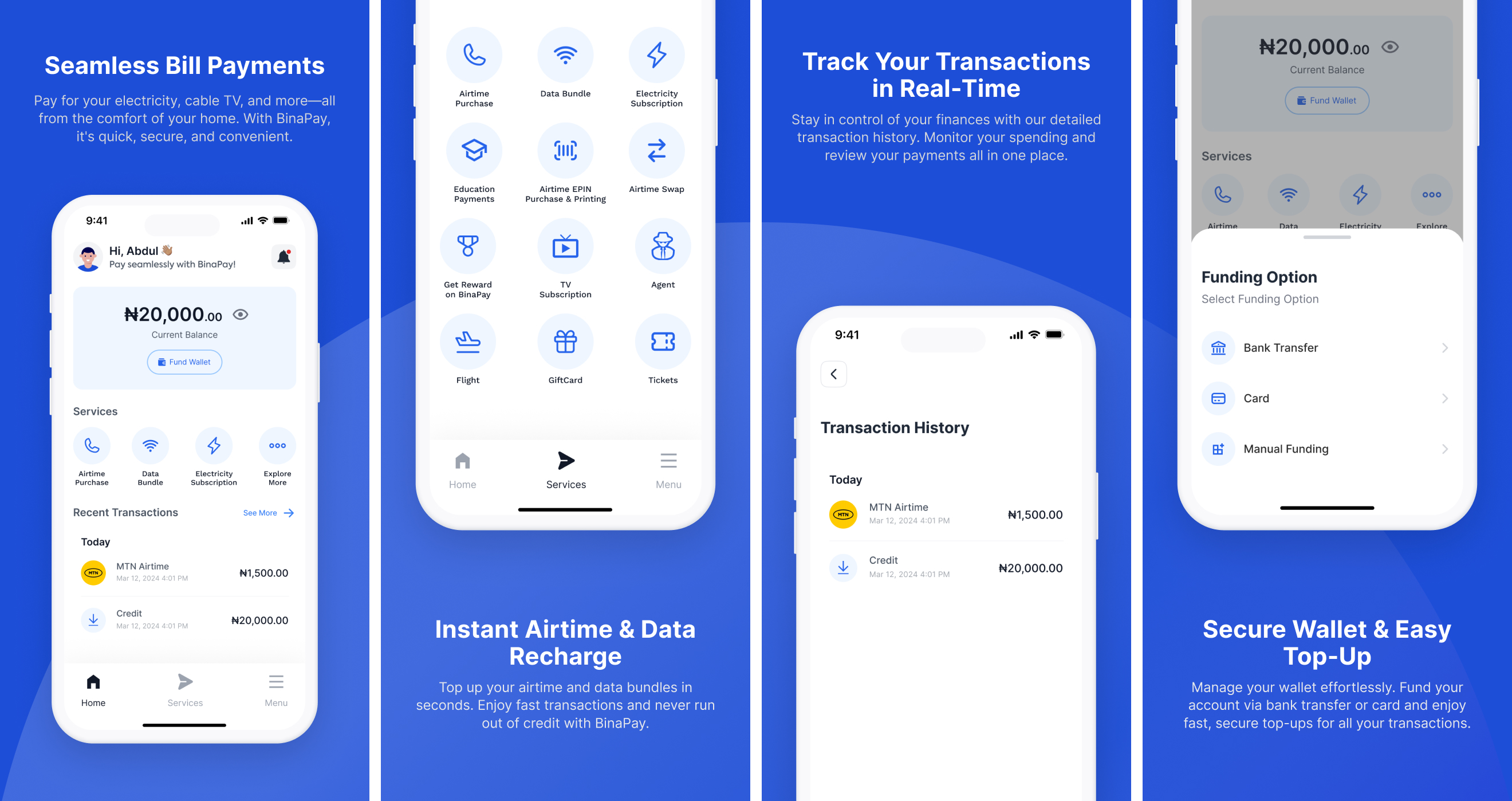
Binapay is your all-in-one platform for managing bills, data purchases, airtime top-ups, and more. With BinaPay, you can handle multiple financial transactions easily and securely, avoiding late fees and simplifying payments across various services.
This guide will help you create an account, fund your wallet, and start using all that BinaPay has to offer.
Step 1: Create an Account
- Sign Up: Open the BinaPay app or visit the website and select "Sign Up."
- Quick Setup: Registering requires only basic information such as your name, email, and phone number.
- Verification: Complete your registration by clicking the verification link sent via email.
Step 2: Fund Your Wallet
- Access Your Wallet: After logging in, go to the "Wallet" section to add funds.
- Choose Payment Method: Select from various payment options, including credit/debit cards (Visa, Mastercard), bank transfer, or manual funding.
- Automated Processing: Funds should reflect instantly in your wallet, making them available for immediate use.
Step 3: Place an Order
With funds in your wallet, you’re ready to explore and use the services on BinaPay. Here’s a look at the primary services available:
Services Offered by BinaPay
-
Data & Airtime Purchases
- Data Plans: Purchase data bundles for any major mobile network, available in a range of sizes to suit different budgets.
- Airtime Top-Up: Instantly top up airtime for yourself or others on any network, a convenient option for gifting as well.
-
Electricity Bill Payments
- Supported Providers: Pay electricity bills across supported providers, helping you avoid service interruptions.
- Instant Confirmation: Your payment is processed instantly, ensuring timely updates to your account balance.
-
Cable Subscriptions
- TV Providers: BinaPay supports popular cable TV providers, including DSTV, GOTV, and StarTimes.
- Flexible Payment Options: Choose from monthly, quarterly, or annual subscriptions, with easy renewal and management.
Benefits of Using BinaPay
- Seamless Transactions: Pay for multiple services on a single platform, without juggling multiple apps or websites.
- Timely Payments: Avoid late fees by making instant payments.
- Secure Platform: BinaPay uses encrypted connections to protect your data and ensure secure transactions.
Frequently Asked Questions
What forms of payment are accepted?
BinaPay accepts credit and debit cards (Visa, Mastercard), bank transfers, and PayPal.
How do I track my order?
To track a transaction, go to “Transaction History” in your account, where all recent transactions are listed.
How do I contact support?
If you have questions or need assistance, you can reach out through the Help Center or contact our support team.
With BinaPay, managing your financial transactions has never been easier.